Everest Expedition - Sprint 3 Review
I am currently working as the programmer on a game prototype called Everest Expedition for Computer Animation and Game Development class 370 at Chico State. We just wrapped up our third two-week sprint and are now moving into sprint four. While my last sprint was not great due to issues I was having in my personal life, I think I was able to really get back into the swing of things this time around and finally completed the part of the game that I have put a huge portion of my time into.

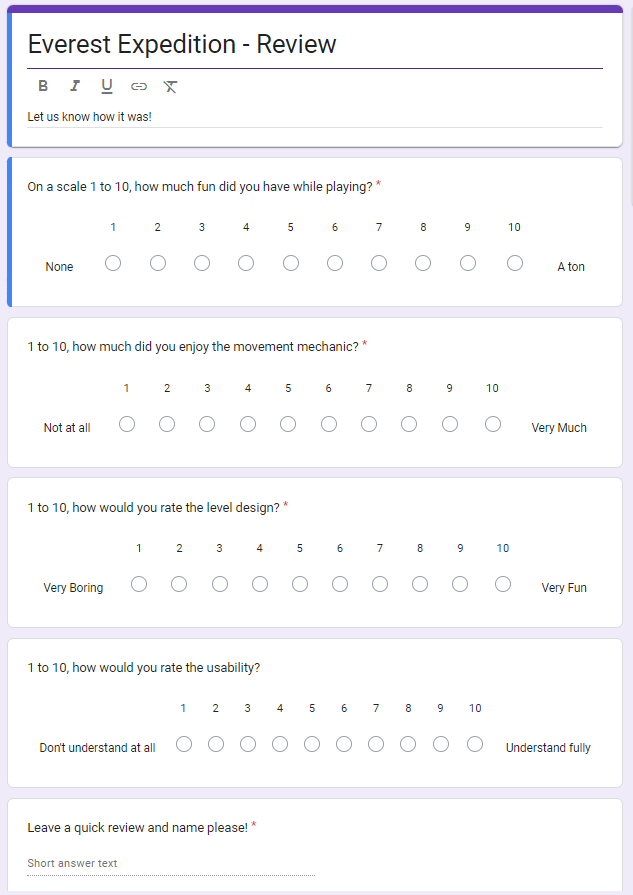
During this sprint, I was able to complete 6 points worth of cars and get started on a seventh. These included doing the Google form sheet for our playtest, getting the joint system in working order without having it bug out constantly, and getting the pickaxe to stay straight so the character would not be launched in different directions. Where most of my points came from however was getting the pickaxe to function without any issues from the Unity physics engine. I have been working on this for quite some time now so the card ended up as a 3-point card. The main issues that I had while working with the pickaxe were having it clipping through the ground or completely breaking the joint that it was connected to, which caused its own problems. There were other issues along the way like the pickaxe not rotating or dragging the player, but for these, I ended up just scrapping what I had done as I couldn't see it getting any better from there. After doing tons of research into the physics engine in Unity and what it does and doesn’t like in scripts, and after many failed attempts in scripts and joints, I finally found a way to get the pickaxe to react with the environment. It didn’t turn out exactly as we had envisioned it, with it now being controlled directionally with mouse swipes rather than tracking the player’s mouse, but my team and I agreed that this was close enough to what we were looking for, would work just as well for climbing, and was not worth the time and effort for me to start all over again, so we decided to go with this iteration for our final prototype.

What I have started working on now is having a small circle follow the player's mouse around the screen just like in Getting Over It by Bennet Foddy, which this game is inspired by. I feel we need this because in a game where you need to have precise mouse movements, knowing where your mouse is on screen is incredibly important and will make the game much easier to play. For the rest of this next sprint, I plan to work on chests, a power meter for jumping, a script for switching between exploring and climbing states, and implementing all of these things into the main scene so that it is ready for our next playtest.
Overall, I think this has been one of my strongest sprints to date. I had a rough patch that I think I pulled through well and am now trying to pick up the pace again to make sure we can have the game done and ready by the end of our final sprint. Completing the 3-point card I had worked so hard on was definitely relieving for me and gave me a lot of energy to keep pushing. I want to carry the momentum from this sprint into my next one and try to get up to at least 7 points of cards, improving on what I did previously.
Comments
Post a Comment